
Summary
The GT_READGMLFEATURES command in GeoTools imports GML (Geography Markup Language) features into CAD by reading splitted GML files generated by the GT_EXTRACTGMLFEATURES command. It creates point, line, and polygon objects while attaching attribute data as XData in BricsCAD, AutoCAD, ZWCAD and ARES Commander.
GeoTool -> Export Tools -> Export Tools -> Import single GML feature from file
Import single GML feature from file: GT_READGMLFEATURES – GeoTools Command
Key Features Include:
- GML Data Import into CAD:
- Reads splitted GML feature files and converts them into CAD objects.
- Supports point, line, and polygon creation from GML data.
- Attribute Data Handling:
- Imports attribute data as XData, ensuring proper metadata association.
- Flexible File Selection:
- Import a single file, all files in a folder, or process data feature-wise.
- Performance Optimization:
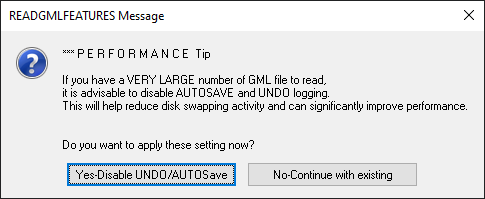
- Option to disable AUTOSAVE and UNDO logging when working with large GML files for improved performance.
- Best Practice for GML Import:
- First, run GT_EXTRACTGMLFEATURES to split the master GML file into individual feature files.
- Then, use GT_READGMLFEATURES to import each feature into CAD.
Benefits:
This tool is essential for GIS professionals, urban planners, and surveyors who need to integrate geospatial data into CAD environments efficiently.