
GT_BUFFERPOLY-SPLIT (GeoTools -> Build Tools -> Split parcel polygons along buffer boundary polygon)
We are excited to announce our newest tool GT_BUFFERPOLY_SPLIT under the Build menu.
The GT_BUFFERPOLY_SPLIT command in GeoTools splits polygons along a buffer zone (or right-of-way) and creates two sets of polygons which are the result of a buffer zone passing through a set of underlying polygons (or parcels in real life).
USE-CASE for this tool
This is a great tool which can be used in all land acquisition projects where you want to know how underlying parcels of land will get split when a right-of-way passes through it. There will be some portion of the land parcel which falls on the right-of-way which will have to be acquired, and some portion which falls outside, which will be split and returned to the original owner. This is a common requirement while making detailed project reports (DPRs) and is a laborious exercise for companies to generate this data.
We make this workflow super-simple for you.
The input data may look something like this:
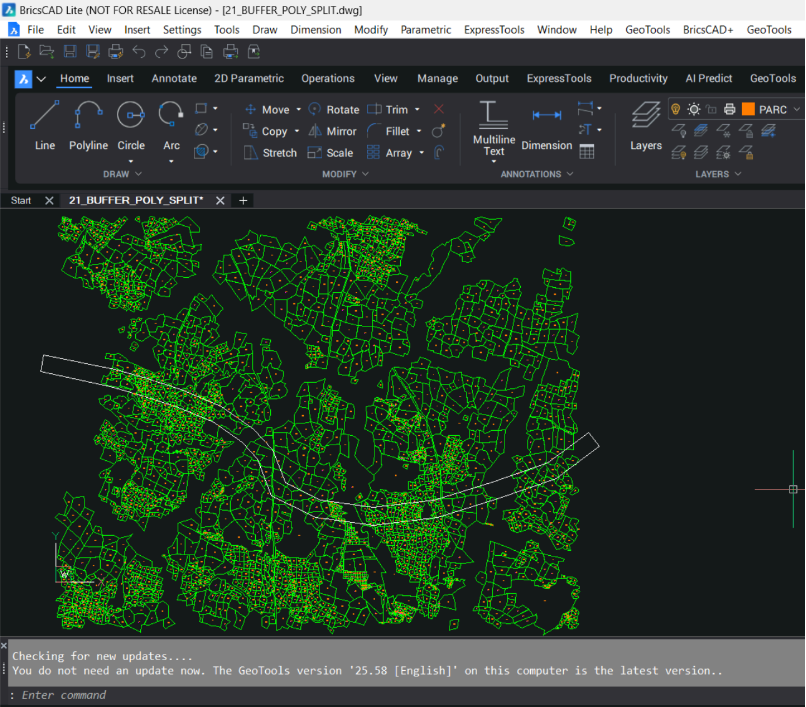
The green data represents the closed polylines (topologically cleaned) which represents the underlying parcels which must be split into two parts, based on the alignment which passes through them.
The split would result in a part of the parcel falling within the alignment area (also called the buffer polygon in this article), and another part which would fall outside the buffer polygon.
Please be aware that the alignment also is a closed polyline object. It must not contain any arc segments. If they do contain arcs, they must be pre-processed and converted to linear approximated segments using existing GeoTools commands like GT_PLARC2PL.
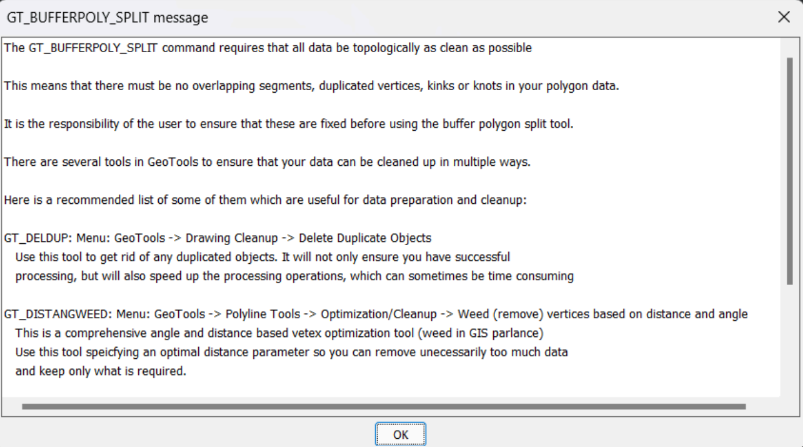
Create topologically correct data before you start
It is important to have topologically correct data in the expected format before you start. The parcels must be closed polylines, there must not be any duplicated or redundant vertices, overlapping (duplicated) parcels and also collinear vertices must be removed for optimum performance.
All of this can be easily achieved using existing GeoTools commands which are described in this 1st screen.
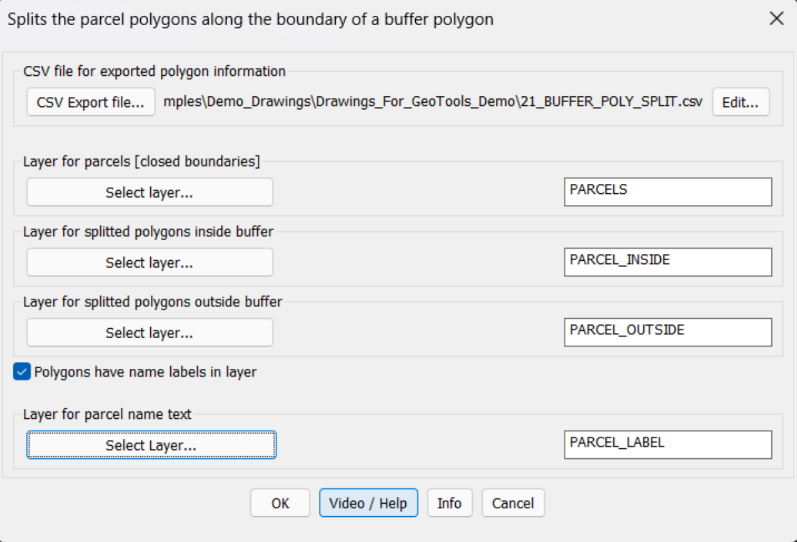
The main dialog box of GT_BUFFERPOLY_SPLIT allows all input conditions to be provided. Input data (parcel info) is read from the specified layer, output data (inside & outside split polygons) are also delivered layer-wise. There is also an option to capture the parcel name existing text within the parcel.
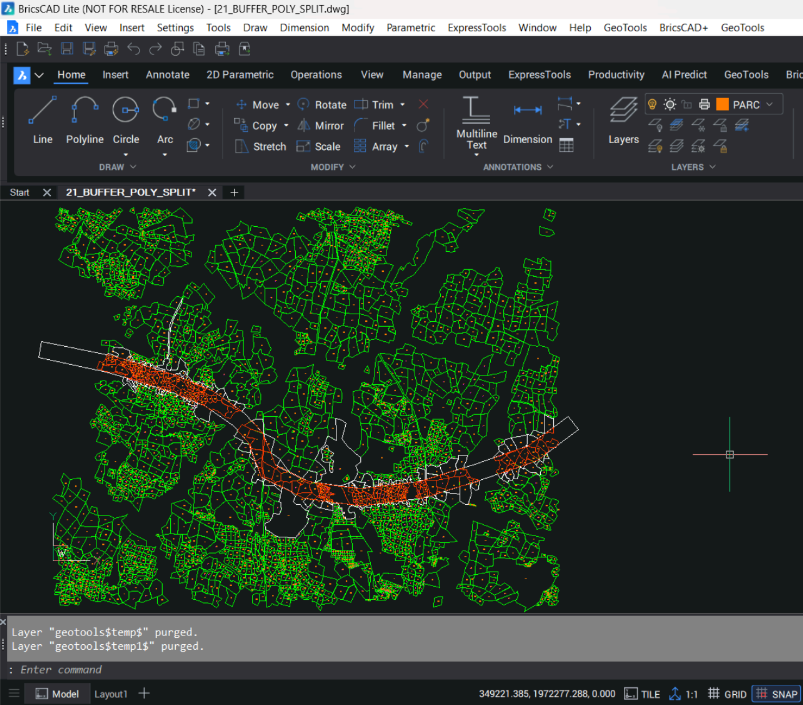
The output from this program looks like this. All parcels lying wholly within the buffer polygon are shown in the INSIDE layer. Parcels which cross the buffer zone are split into two – one falling inside the buffer zone and another outside. They go into their specified layers.
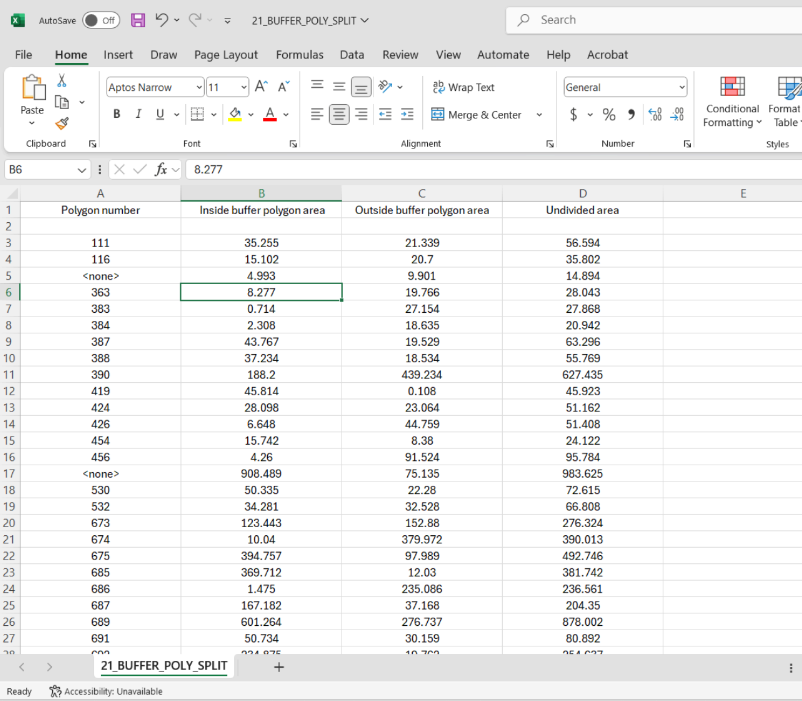
The command also creates a split-area Excel CSV file also. This can be used in design and submission.
CONTACT US
Mr. Rakesh Rao
+91-92434-38300