What’s New in BricsCAD V26: — Point Cloud Workflows for Building Projects
BricsCAD V26 delivers major functionality upgrades in Point Cloud tools, especially for building-focused and Scan-to-BIM workflows. From improved pre-processing to better tracing, faster LGSX handling, and production-ready Scan-to-BIM, these updates are all about turning dense point cloud data into usable 2D and 3D data — without losing your sanity.
Redesigned Point Cloud Manager: Better Pre-Processing, Less Guesswork
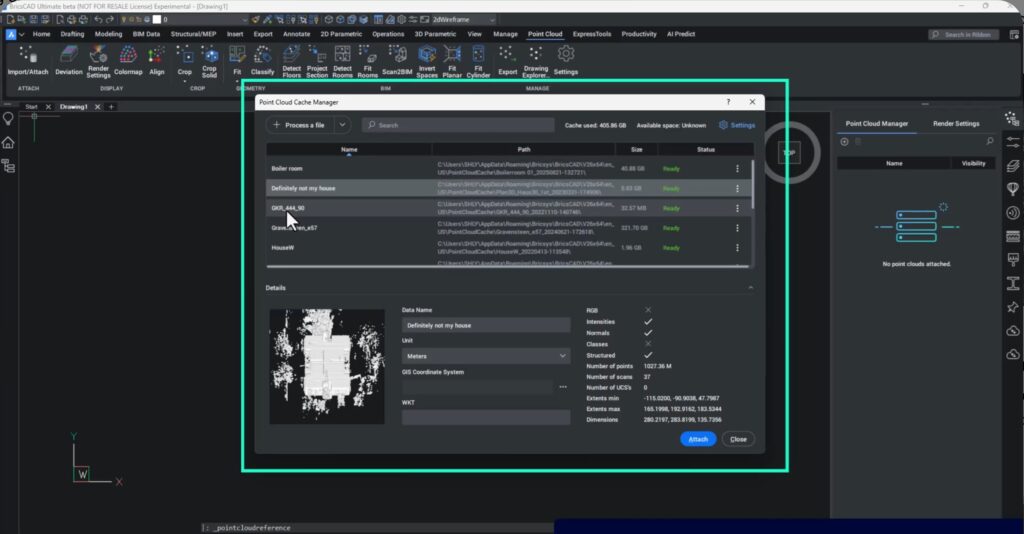
Pre-processing point clouds in V26 is now far more informative and intuitive than in V25.
What’s improved:
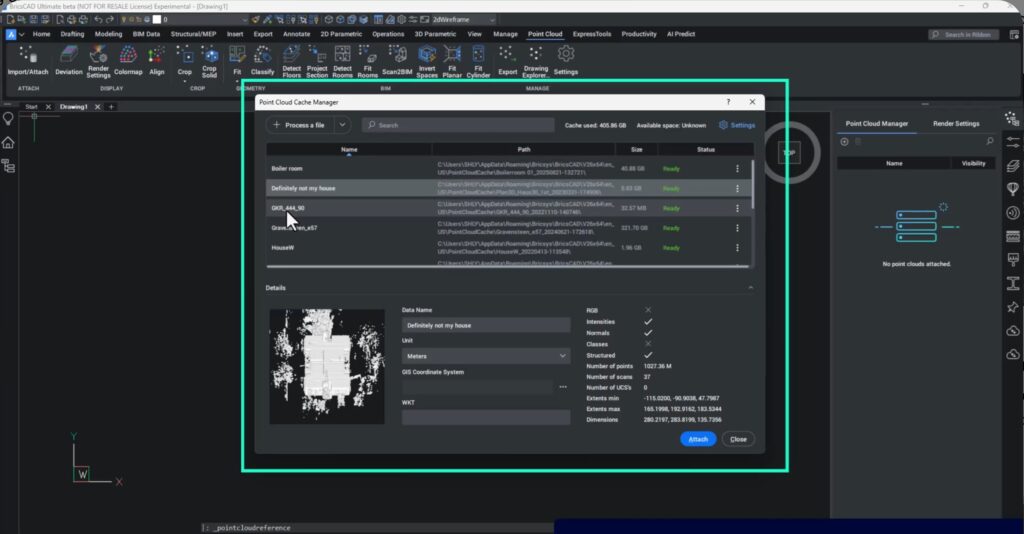
- Visual thumbnails for point clouds (this really speeds up knowing what your point cloud data contains)
- Rich metadata (number of points, scans, normals, UCSs, etc.)
- Search functionality for easier cloud management
- Processing logs directly accessible from the cache manager
These logs are especially useful for troubleshooting and for getting faster, more accurate support from Bricsys if something goes sideways.
More Control When Tracing Lines from Point Clouds
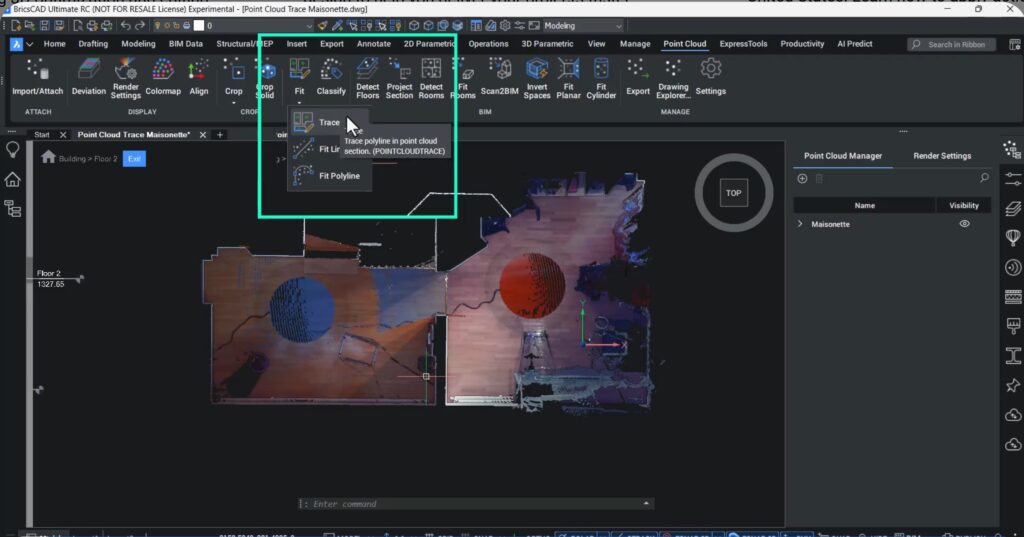
Tracing geometry from point clouds has been refined based on real user feedback—less automation, more control.
Key enhancements:
- Adjustable parameters such as search radius and connect mode
- Clear preview lines before committing geometry
- Improved workflow for tracing walls and building elements floor by floor
Users can now crop point clouds, detect floors, activate the story bar, and trace clean, connected polylines with confidence—even if they’re not hardcore BIM specialists.
Floor-Aware Tracing with Story Bar Integration
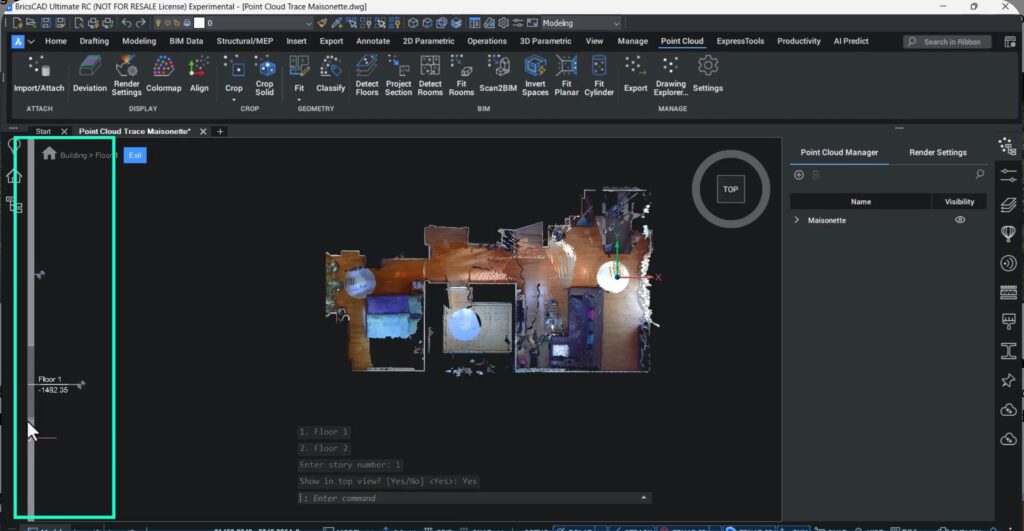
Using the Detect Floor command and the Story Bar, users can:
- Slice point clouds by floor
- Switch easily between levels
- Trace geometry accurately on each floor plane
The resulting geometry is automatically placed on the correct floor, making multi-storey building workflows far more reliable.
UCS-Aware Tracing: Work on Any Side of the Building
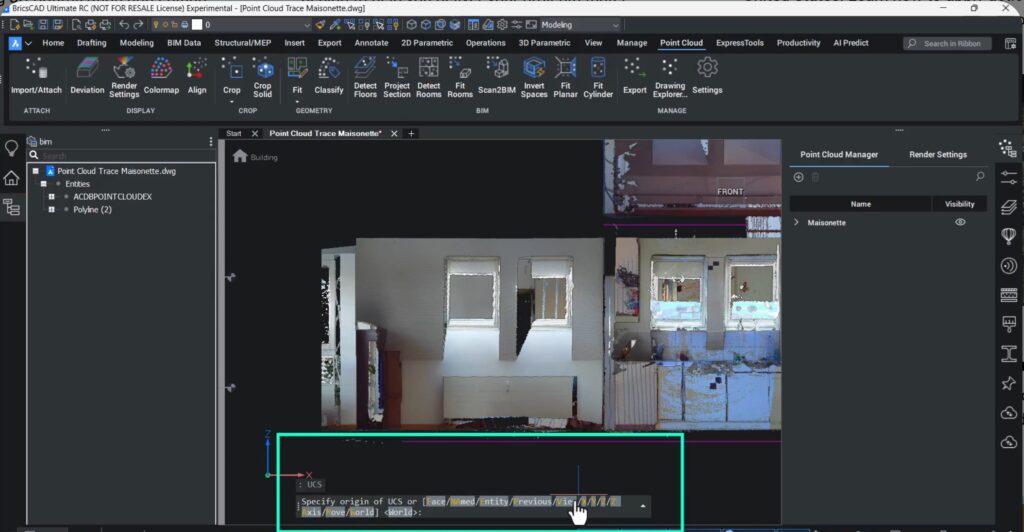
Point cloud tracing now behaves intelligently with User Coordinate Systems (UCS):
- Tracing respects the current UCS
- Users can trace on façades, elevations, or sloped surfaces by setting UCS from the desired view
This is particularly powerful when working with complex building geometries.
Faster and Smarter LGSX Workflows
Working with Leica LGSX data is significantly improved in V26.
What’s new:
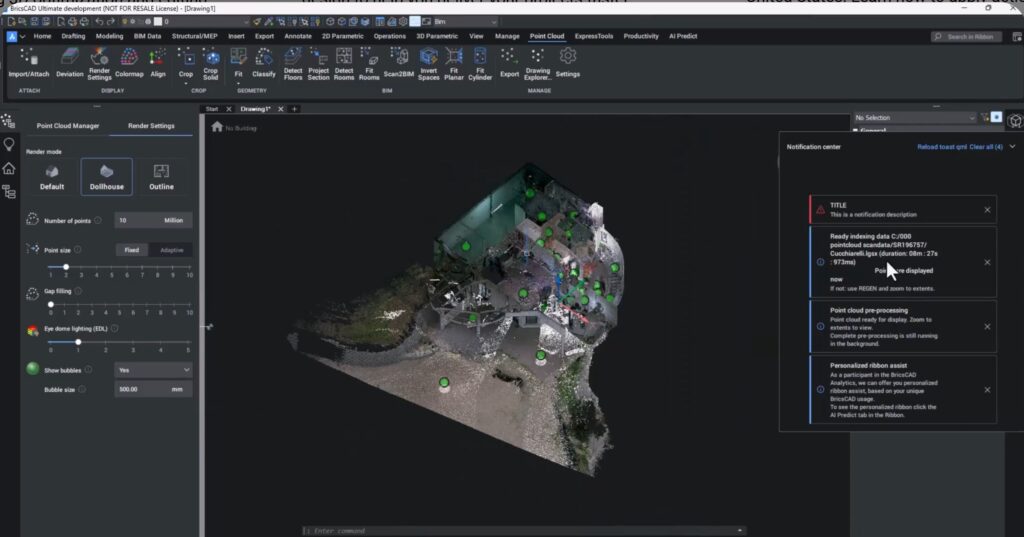
- Point clouds appear almost immediately, even while background processing continues
- Visual indicators show processing status:
- Purple bubbles → still processing
- Green bubbles → fully processed
- Support for multiple UCSs embedded in LGSX files
This makes it much easier to handle multi-floor buildings, sloped walls, and complex scans—while improving measurement accuracy and overall productivity.
Improved Project Section: Ortho Images + Auto-Generated Lines
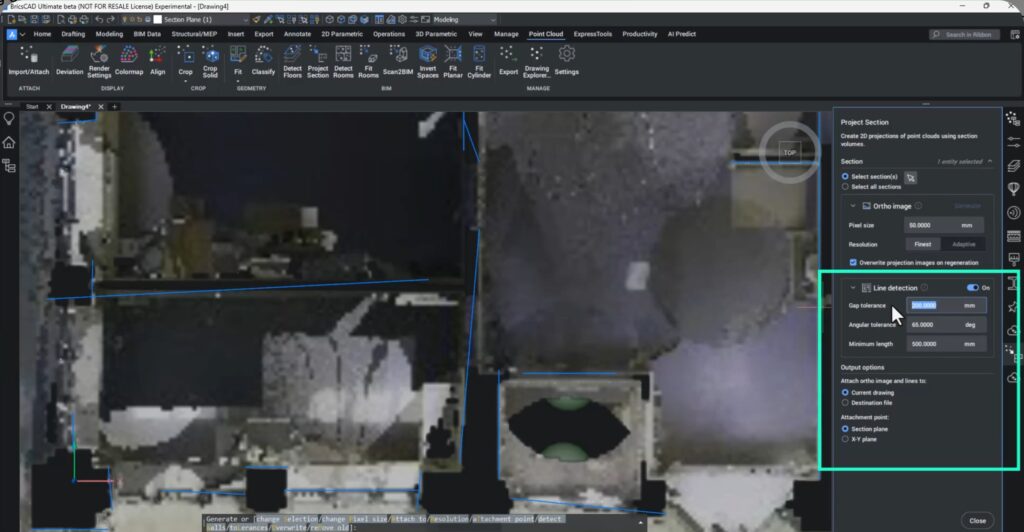
The Project Section workflow is now split into two clear steps:
- Generate a high-quality ortho image with defined resolution and pixel size
- Optionally auto-generate lines with:
- Live preview
- Adjustable gap tolerance
- Angle tolerance
- Minimum line length
Once complete, users can turn off the point cloud and continue working with clean 2D data derived directly from reality.
Scan-to-BIM Is Now Production-Ready
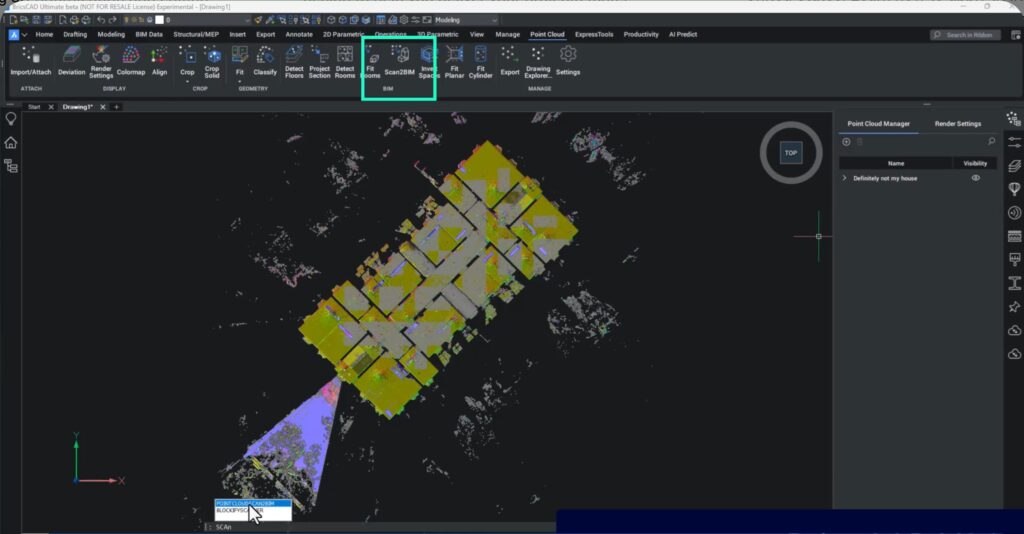
One of the biggest milestones in V26:
- Scan-to-BIM is no longer experimental
- It now has a dedicated ribbon button
- Fully supported and production-read
This command combines multiple workflows into a single, efficient step—ideal for users moving from point clouds to BIM models.
Want to Try This Yourself?
You can experiment with real-world datasets used in this session:
- Source: University of Zurich – Visualization and Multimedia Lab
- Dataset used: Maisonette
- Freely available under research datasets
Perfect for testing, learning, and showing off to colleagues who still think point clouds are “just dots.”
Why This Matters
BricsCAD V26 turns point clouds from heavy, slow reference data into practical, production-ready building intelligence. Whether you’re tracing walls, generating sections, or moving into Scan-to-BIM, these updates mean:
- Faster workflows
- Better accuracy
- More control
- Less waiting around wondering if the software is “thinking” or “stuck”
This is one of the most quietly powerful updates in V26—and building professionals will feel the difference almost immediately. Download BricsCAD V26 to learn more.