Seamless Assembly, Part Creation & Documentation with BricsCAD Mechanical V26.
Modern manufacturing is no longer single-CAD. Parts come from suppliers, OEMs, and design partners using SOLIDWORKS, STEP, Inventor, and more — and yet everything must come together into one manufacturable product with accurate BOMs, drawings, and assembly instructions.
This is exactly where BricsCAD Mechanical shines.
In this session, we will demonstrate how BricsCAD Mechanical takes you from multi-CAD parts to fully associative production documentation — all inside the familiar DWG environment.
Now, why is this familiar DWG CAD interface important?
This is because skillsets to use a DWG CAD platform are easy to find and train. And BricsCAD is far cheaper to own compared to a Solidworks, Solid Edge or PTC – CREO. And it does many of the routine tasks that you would otherwise go to an expensive 3D modeling tool to fulfil.
True Multi-CAD Assembly — Not Just File Import
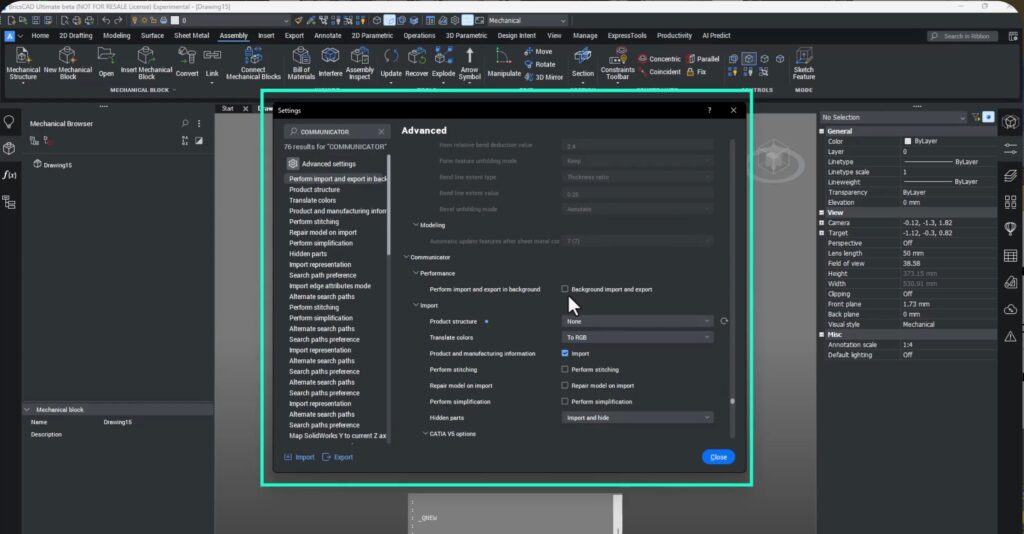
BricsCAD Mechanical, in conjunction with Communicator for BricsCAD to bring in models from all major CAD systems — preserving:
- Full assembly structure
- PMI and metadata
- Part hierarchies
- Mechanical intelligence
You are not just importing geometry — you are importing engineering intent.
In V26, the Communicator interface has been redesigned, making it easier to search, configure, and control how data comes in — including background loading so engineers can keep working while large assemblies import.
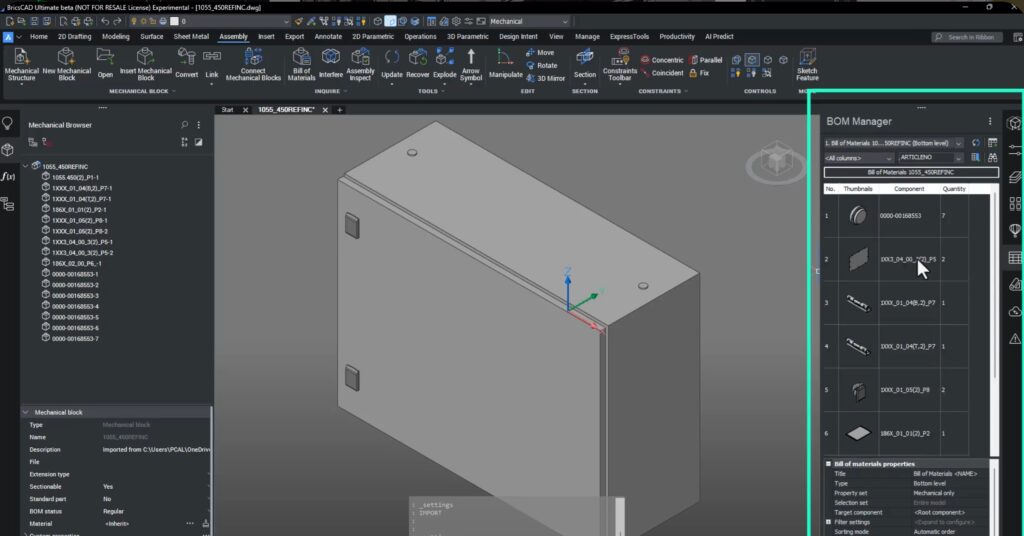
BOM – Ready the Moment You Import
When models are imported as mechanical blocks, they are instantly ready for:
- Assembly structure
- BOM generation
- Ballooning
- Associative documentation
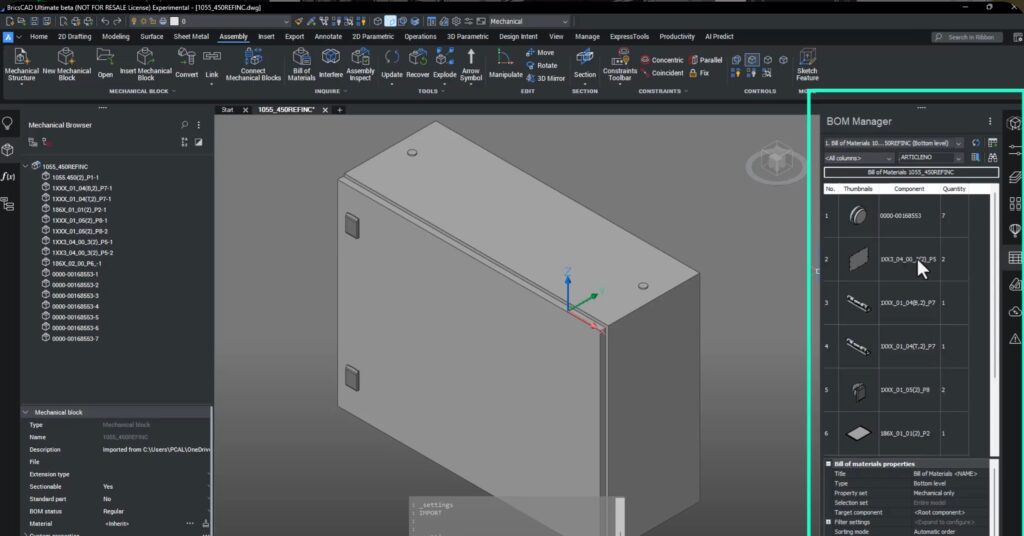
In this demo, a SOLIDWORKS assembly is imported and its full structure is preserved automatically — no re-work, no re-assembly, no manual BOM creation.
Bottom-Up and Top-Down Assembly — You Choose
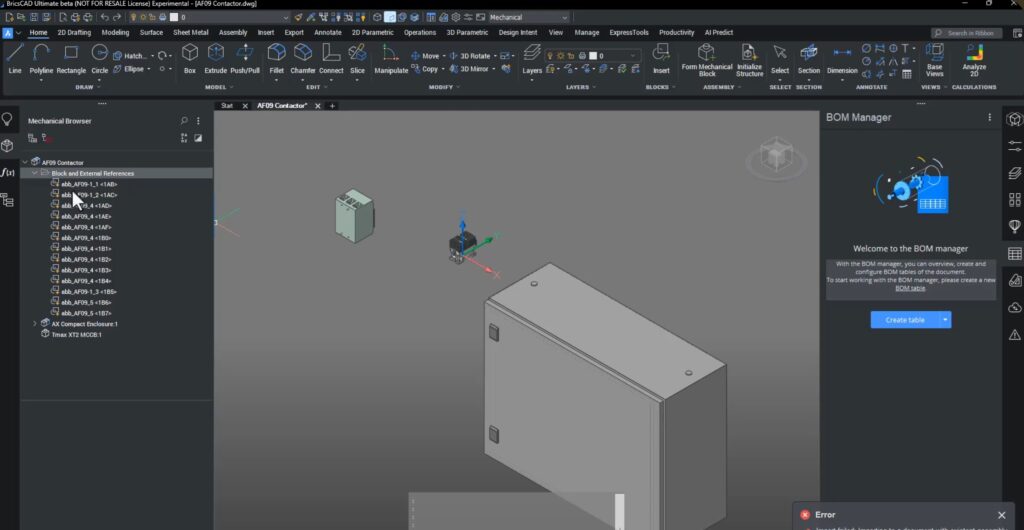
BricsCAD Mechanical supports both:
Bottom-up : Insert existing DWG parts into an assembly.
Top-down : Import STEP or neutral CAD, convert it into mechanical blocks, and design directly inside the assembly.
Even when a STEP file initially fails to insert into an active assembly, Communicator lets you re-import it correctly and convert it into a fully usable mechanical component.
In-Context Editing — Design Where It Matters
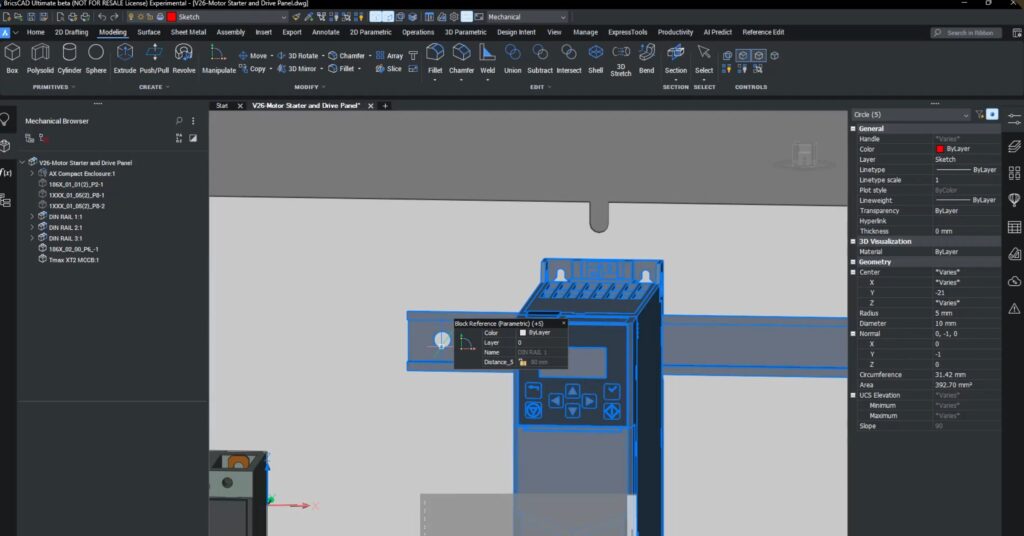
Using REFEDIT, engineers can:
- Edit parts directly inside the assembly
- Sketch using real geometry (like hole centers)
- Propagate hole patterns automatically
- Cut geometry with EXTRUDE > SUBTRACT
This ensures perfect alignment between parts — no guessing, no measuring, no spreadsheet gymnastics.
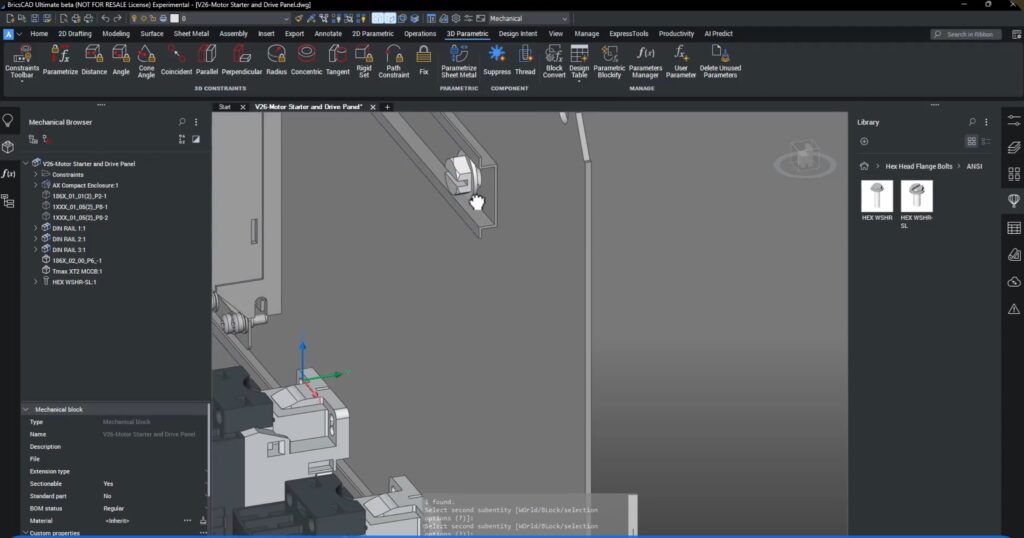
Parametric Fasteners & Constraints
Standard parts (like fasteners) are pulled from the library, sized parametrically, and constrained into position — meaning they behave like real mechanical components, not dumb CAD blocks.
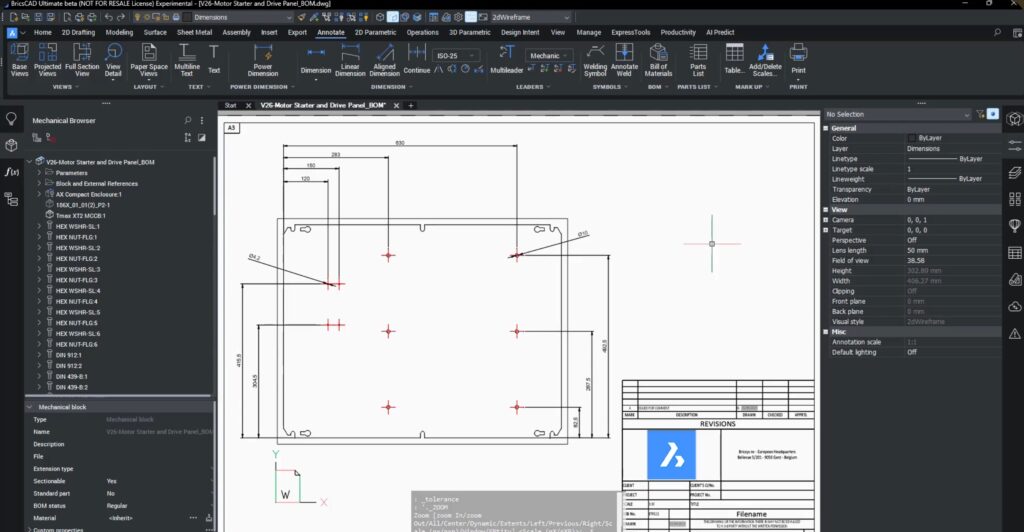
From 3D Model to Production Drawing — in Minutes
Using VIEWBASE, BricsCAD automatically generates:
- Orthographic views
- Center marks
- Dimensions
- Scaled layouts
All directly from the 3D model — and fully associative.
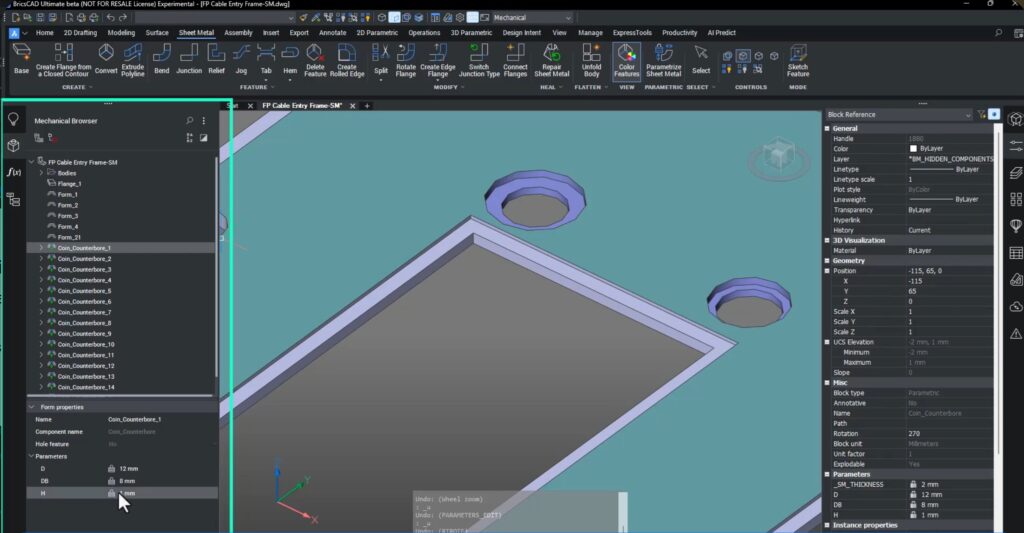
Sheet Metal from Supplier STEP Files
Supplier geometry often comes as dumb solids — but BricsCAD Mechanical converts them into real sheet metal.
In V26, improved edge feature recognition correctly detects flanges that previously failed.
It also identifies form features (louvers, embosses, etc.) and lets you replace them with parametric library features.
Result: A clean, editable, manufacturing-ready sheet metal model — even from neutral CAD.
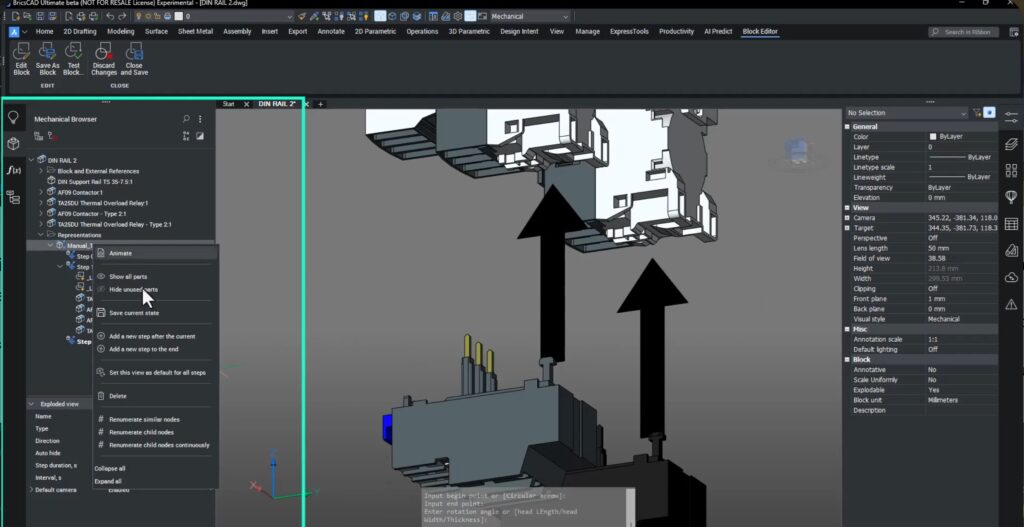
Step-by-Step Assembly Instructions
Using Manual Explode, engineers can define:
- Assembly sequence
- Direction arrows
- Camera views
These steps are exported as SDG lightweight files, ready for manuals, service documentation, or training.
Fully Associative General Arrangement Drawings
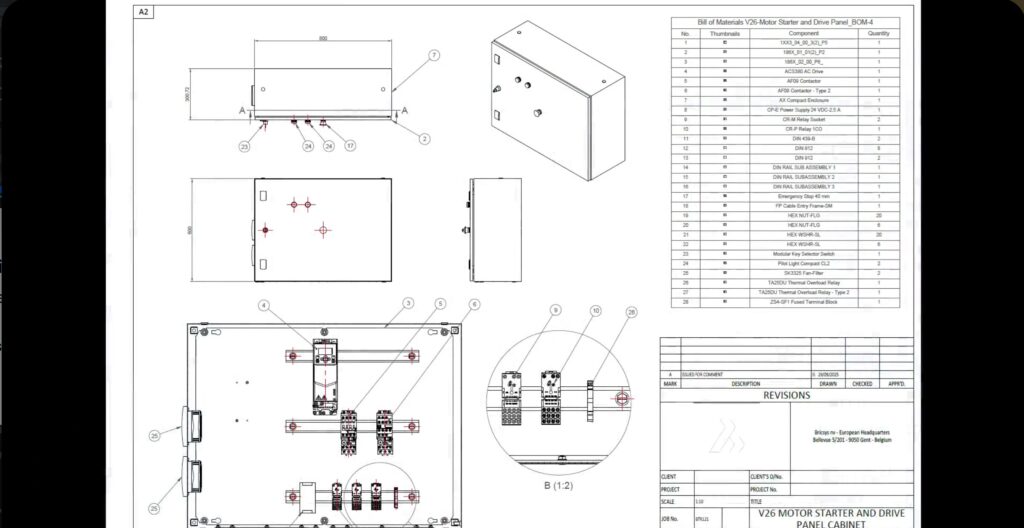
BricsCAD Mechanical creates:
- Front, plan, side, and isometric views
- Section cuts
- Detail views
- BOM tables
- Balloons
…and everything stays linked.
When a component is deleted in 3D:
- The BOM updates
- The section updates
- The drawing updates
No broken links. No wrong part numbers. No embarrassing shop-floor mistakes.
Why This Matters?
Most CAD workflows today still require:
- One tool for modeling
- Another for BOMs
- Another for drawings
- Another for documentation
BricsCAD Mechanical does it all in one DWG-based platform — with true multi-CAD support, associative data, and production-ready output.
In my opinion, this is exactly why BricsCAD Mechanical is eating into the high-end mechanical CAD space — without the bloated licensing or fragile data pipelines. Smart engineering, not expensive engineering.
Download BricsCAD V26 to learn more.