
In this blog, we will see what’s new in BricsCAD Mechanical V26.
BricsCAD Mechanical V26 delivers a major productivity boost for mechanical engineers, fabricators, and sheet-metal designers.
This release focuses on reducing clicks, improving accuracy, and accelerating everyday workflows across sheet metal, dimensioning, welding, FEA, and navigation.
From smarter feature recognition to better analysis tools and lightning-fast part location, V26 is designed to help you design more and struggle less.
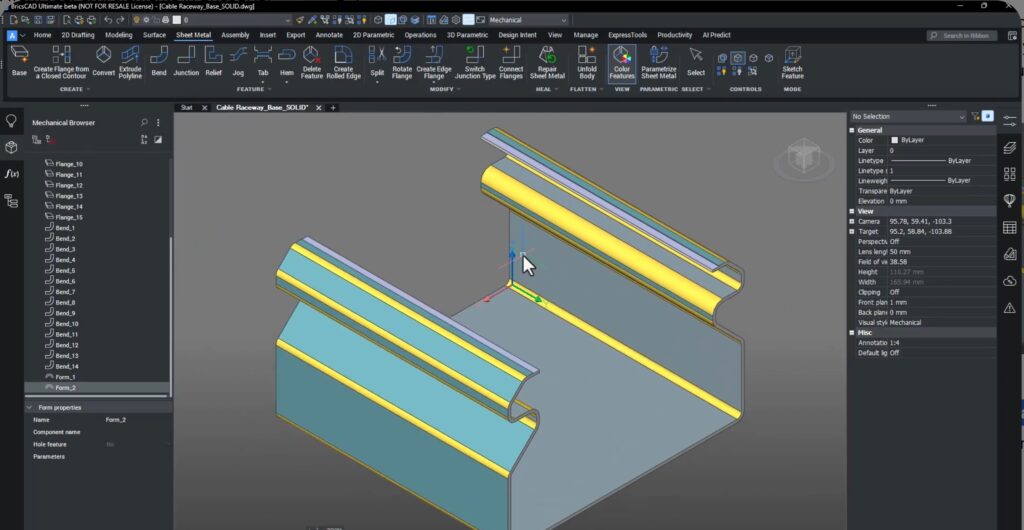
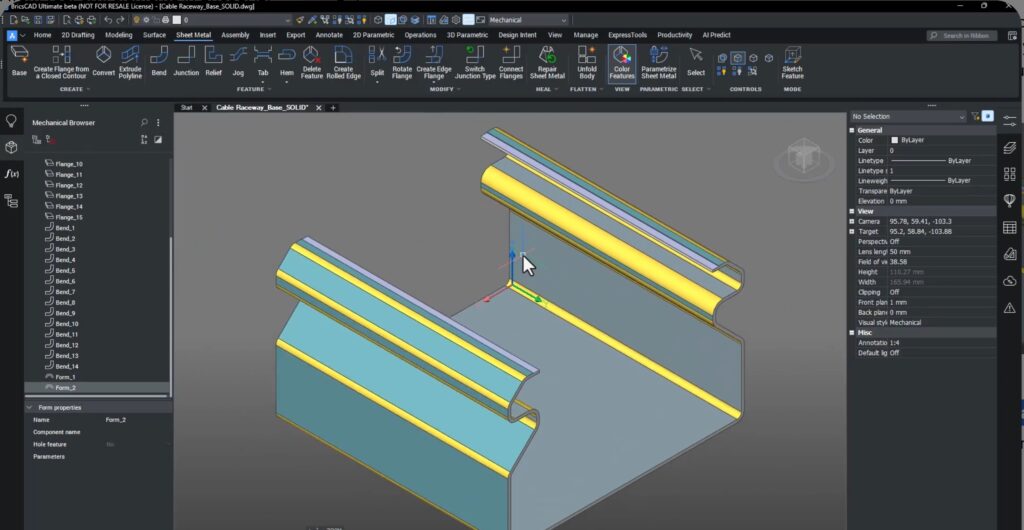
Stronger Sheet Metal Conversion
When working with imported geometry, correctly recognizing form features is critical for unfolding and manufacturing.
In V26, a new setting SMCONVERTMAXIMALEXTRUSIONDEPTHNEARBORDER allows BricsCAD to correctly detect form features even when they are close to edges.
This means:
- Fewer failed conversions
- More accurate unfold results
- Less manual repair
Smarter Dimensioning & Automatic Chamfers
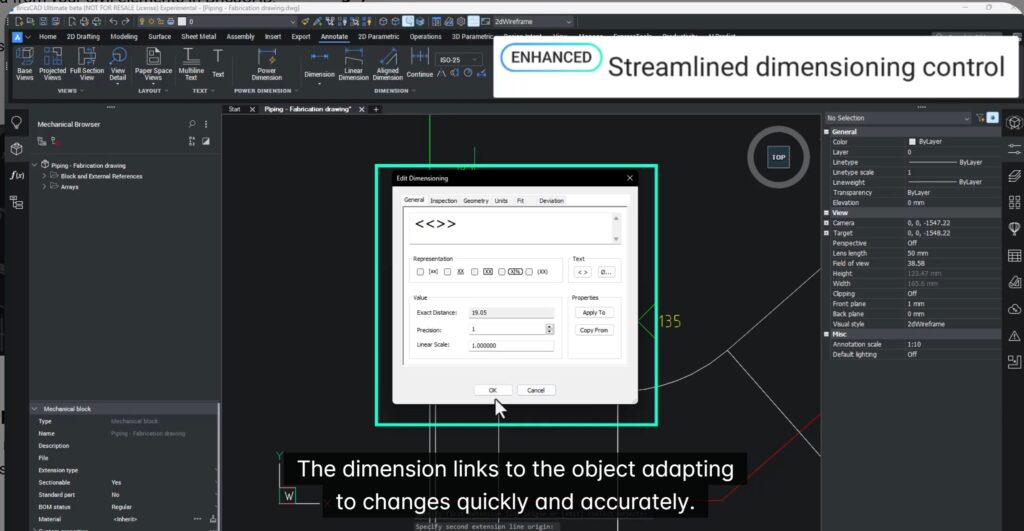
BricsCAD Mechanical V26 introduces an enhanced Power Dimension tool and improved automatic chamfer dimensioning.
You now get:
- Linear
- Angular
- Radial
- Chamfer dimensions
- —all from one streamlined interface.
Dimensions are now fully associative, meaning they automatically update when geometry changes.
Even chamfers that are not in the XY plane are now dimensioned accurately and aligned to the real geometry.

Improved Welding Tools with Global Standards
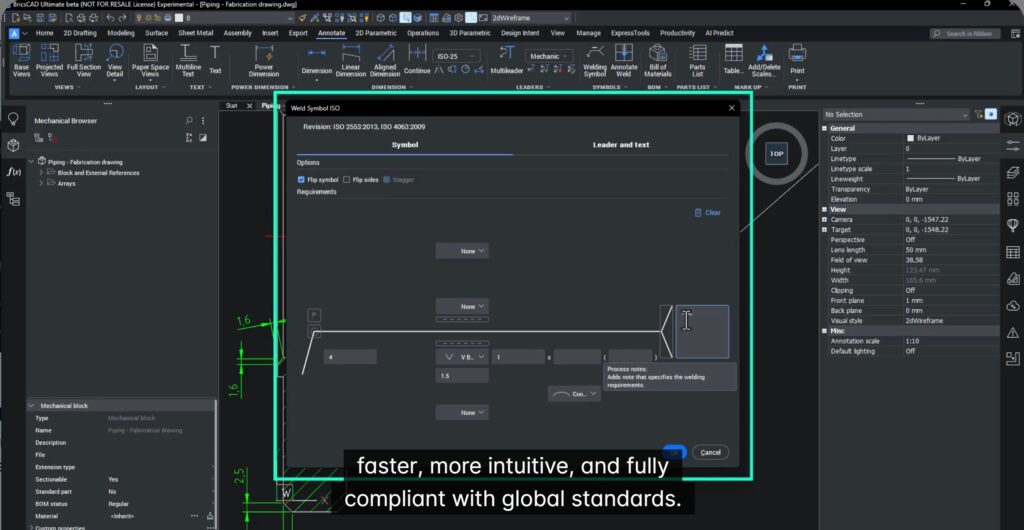
V26 introduces a redesigned Welding Dialog that makes creating compliant welds fast and intuitive.
The new dialog:
- Combines all weld settings in one place
- Supports four global welding standards
- Makes selecting and defining welds far simpler
Whether you’re defining a V-butt weld or complex joints, the process is now clear, fast, and fully compliant.
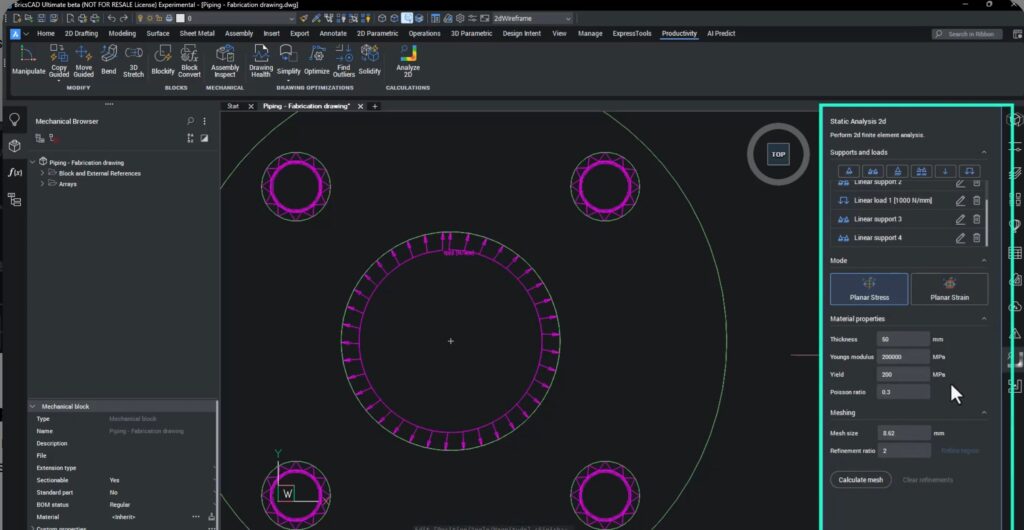
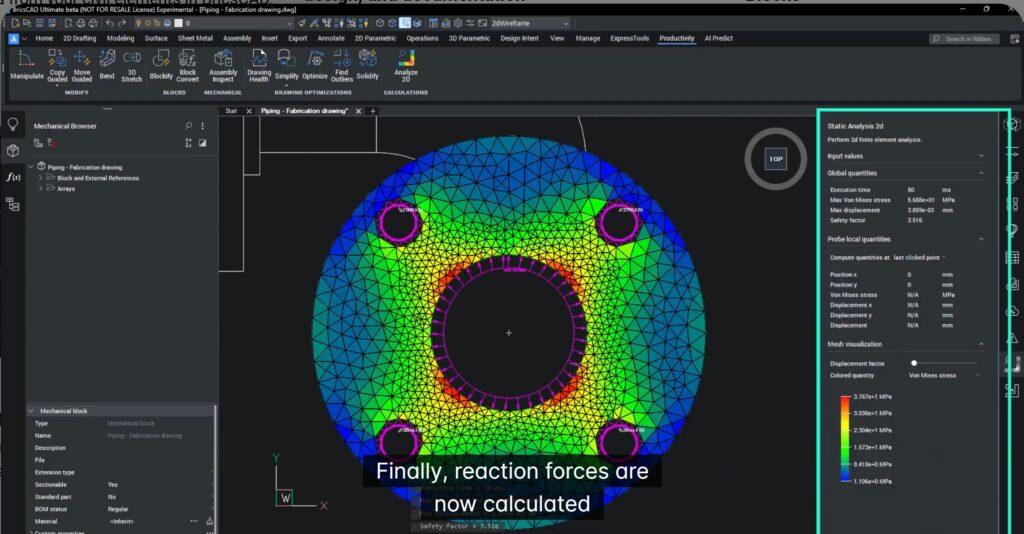
More Powerful and Reusable 2D FEA
The 2D-FEA system in BricsCAD Mechanical V26 is now faster and more intelligent.
New improvements include:
- A refined interface
- Reuse of previous study setups
- Automatic loading of previous loads, constraints and mesh
You can now:
- Edit load direction and magnitude
- Control clockwise or counter-clockwise boundary direction
- Apply local mesh refinement to improve accuracy
- View reaction forces at constraint points
This makes structural analysis faster, more precise, and easier to document.
Zoom & Highlight – Find Parts Instantly
Large mechanical drawings can contain hundreds or thousands of parts.
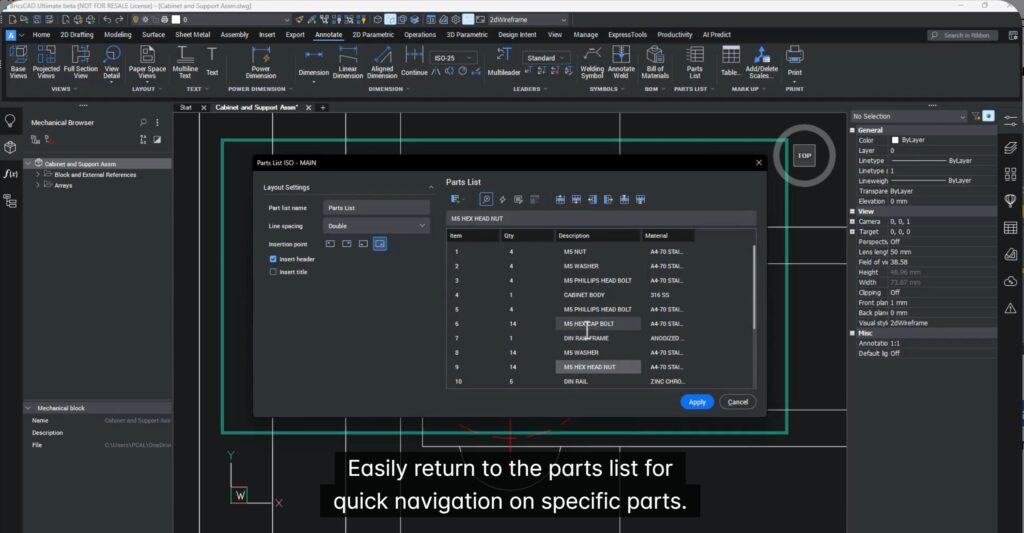
V26 introduces Zoom and Highlight, making navigation effortless.
You can now:
- Select a part in the parts list
- Instantly zoom to it in the drawing
- Highlight all its instances
- Move to the next part
- Jump back to the parts list
This eliminates endless searching and manual zooming.
Why Mechanical Teams Will Love V26
BricsCAD Mechanical V26 delivers:
- Better sheet-metal recognition
- Smarter, fully associative dimensions
- Standards-compliant welding
- Faster, reusable FEA analysis
- Instant part navigation
All of this means: Less clicking. Fewer errors. Faster results.
Try It Yourself
The best way to experience BricsCAD Mechanical V26 is hands-on.
Download it, open your own sheet-metal, weldments, and assemblies, and see how much smoother your daily workflows become.
Design more. Fix less. Ship faster.

Download BricsCAD V26, scan the QR-code above!